.svg)
.svg)

 For Instructor
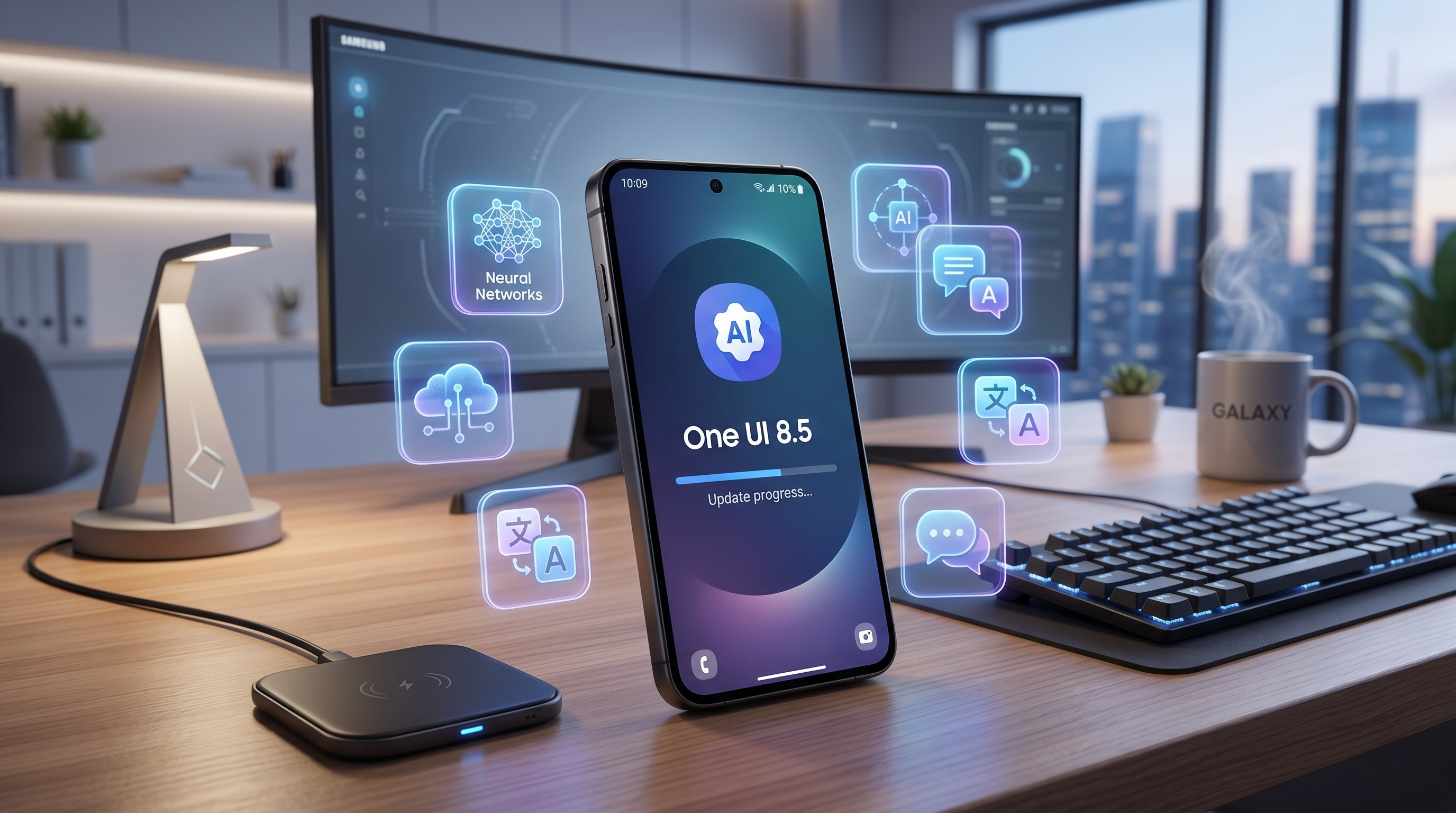
One UI 8.5 Has Arrived: Essential Insights for Galaxy S24 and S25 Users
If you're currently using a Samsung Galaxy S24 or S25, you might be eagerly anticipating a software update. Well, it's time to get comfortable, because the wait is nearly over. Samsung is set to roll out the much-anticipated One UI 8.5 stable update, and it promises to be one of the most thrilling and feature-rich updates we've encountered in quite some time.
In the past, Samsung's ".5" updates were generally seen as minor adjustments—perhaps a few bug fixes and some slight enhancements. However, this year, Samsung seems to have discarded that notion entirely. Built on the cutting-edge Android 16 operating system, One UI 8.5 represents a significant shift in the platform. Users can expect a striking visual redesign, transformative AI features, improved connectivity across devices, and robust security enhancements.
Whether you've been following the beta program for the past four months or are just hearing about this update now, this guide will provide you with all the essential information. We’ll explore release timelines, delve into the completely overhauled design language, and take a closer look at the advanced Galaxy AI features that are set to elevate your smartphone experience.
The Release Timeline: When Can You Actually Download It?
Let’s tackle the big question right away: when will this update finally be available for your device? The One UI 8.5 beta program has turned out to be one of the longest in Samsung’s history, having kicked off back in December 2025. Beta testers have been busy putting the software through its paces, working through nearly ten different builds to iron out bugs and enhance the overall experience. Fortunately, the beta phase is drawing to a close, and a stable release is just around the corner.
The Galaxy S25 Series Rollout
For those of you with the latest Galaxy S25, S25+, or S25 Ultra, you’re in luck—you’re at the front of the line. Samsung launched One UI 8.5 alongside the new Galaxy S26 series earlier this year and has been diligently adapting it for the S25 lineup ever since.
Insider reports and rumors indicate that the official stable release for the S25 series is set to begin by late April 2026. In fact, users in South Korea might see the update as soon as April 30th. As for the rest of the world, a broader rollout is expected to kick off around May 4, 2026. So if you own an S25, the wait is almost over—you’re just days away from a refreshed device.
The Galaxy S24 Series Rollout
Now, what about those of you still using last year’s flagship, the reliable Galaxy S24 series? Don’t fret; Samsung hasn’t overlooked you. The company adheres to a well-established "anti-fragmentation" strategy, aiming to get their older premium devices updated with the latest software as quickly as possible.
Recently, the One UI 8.5 beta program was expanded to include the Galaxy S24 lineup, signaling that the stable build isn’t far off. You can expect the S24, S24+, S24 Ultra, and even the S24 FE to start receiving the stable One UI 8.5 update in what’s being referred to as wave two. This places your anticipated release window somewhere around mid-to-late May 2026. So, the wait won’t stretch on for ages—it’ll be measured in weeks, which is certainly good news.
The Visual Overhaul: A Fresh, Dynamic Coat of Paint
Upon downloading and installing One UI 8.5, the first thing that strikes you is its striking appearance. Samsung has made a bold move to revamp its user interface, stepping away from the flatter designs that characterized earlier versions in favor of a more dynamic, layered aesthetic.
The "Frosted Glass" Aesthetic
One of the most notable changes is the introduction of what many tech enthusiasts are referring to as the "Frosted Glass" effect. As you navigate through the operating system, you'll encounter a pleasing frosted translucency. Menus, pop-ups, and folders exude a sense of depth, enhanced by subtle 3D icons that adapt to the wallpaper you’ve chosen. The overall feel is decidedly modern, polished, and distinctly premium. This design decision injects a significant dose of visual interest without overwhelming the user experience.
A Fully Customizable Quick Settings Panel
Now, let’s discuss the Quick Settings panel—those essential controls you access by swiping down for Wi-Fi, Bluetooth, and flashlight options. In One UI 8.5, this functionality has undergone a complete redesign, now allowing for full customization. You’re no longer confined to Samsung’s preset arrangement. Feel free to rearrange icons, adjust their sizes, and highlight the settings you frequently use. If you find yourself toggling the hotspot often, you can easily position that button front and center. Conversely, if airplane mode is seldom used, you can tuck it away. This update truly empowers you to tailor your phone’s interface to your needs.
Revamped App Icons and System Navigation
Samsung has also taken the opportunity to refresh its core app icons. The new designs are cleaner and more cohesive, aligning beautifully with the frosted glass theme. Additionally, several built-in applications, such as the Phone dialer, Quick Share, and Gallery app, have received an updated pill-shaped navigation bar. This new layout significantly enhances one-handed usability, especially on larger devices like the S24 Ultra and S25 Ultra.
Galaxy AI Takes a Leap Forward
Let’s dive into the exciting developments. Artificial Intelligence has emerged as the leading trend in technology, and Samsung is fully embracing this shift. With the release of One UI 8.5, the company builds upon the groundwork laid by earlier Galaxy AI updates, pushing the capabilities to new heights.
Introducing the Revamped, Perplexity-Powered Bixby
Bixby has had its ups and downs over the years, but One UI 8.5 could mark a significant turning point for the voice assistant. Samsung has woven Perplexity AI directly into Bixby’s framework. For those who may not know, Perplexity is a cutting-edge AI search engine renowned for its ability to grasp natural language and deliver real-time, accurate information drawn from the web.
This integration means you can finally engage with Bixby in a more natural way. The new "Ask anything anytime" feature lets you pose intricate, multi-faceted questions to your voice assistant, and it actually comprehends what you’re asking. Even more impressive, Bixby now includes a "Conversational history" feature. It remembers your previous interactions, enabling you to ask follow-up questions without having to revisit the entire context. This represents a significant advancement for voice assistants on the Android platform.
Additionally, Bixby is set to introduce a feature called "Smarter device control." This enhancement allows the AI to gain a deeper understanding of your phone's settings and menus. Instead of having to navigate through multiple layers of settings to adjust a specific display option, you can simply tell Bixby what you need, and it will handle it for you. This functionality is poised to be a transformative improvement, particularly in terms of accessibility.
Next-Gen Photo Assist and Creative Studio
If you love taking pictures and posting them online, One UI 8.5 is going to be your best friend. The updated "Photo Assist" feature takes generative image editing to a whole new level. In older versions of One UI, if you used AI to edit a photo (like moving a subject or changing the background), you had to save that specific iteration before trying something else.
Not anymore. With Next-Gen Photo Assist, you can continuously edit and generate new variations of an image without interruption. It keeps a running history of your edits, allowing you to experiment wildly and then scroll back to pick your absolute favorite version to save and share.
Additionally, the update introduces "Creative Studio," a brand-new built-in tool that lets you create entirely new images, unique stickers, and custom wallpapers right from your phone, either by using existing photos or simply typing in text prompts. It is a powerful creative suite right in your pocket.
AI-Powered Call Screening and Audio Eraser
Tired of answering spam calls? The new AI-powered Call Screening feature will handle them for you. Similar to what we have seen on Google Pixel devices, this feature allows your phone’s AI assistant to answer a call on your behalf, ask the caller what they want, and provide you with a live text transcript of their response. You can then decide whether to pick up, send a quick automated reply, or just hang up.
For the video creators out there, the new "Enhanced Audio Eraser" is going to save you a lot of headaches. If you record a video in a noisy environment, this AI tool can intelligently isolate and remove background noise—like wind, traffic, or chatter—leaving only the crisp, clear voices of the people speaking.
**Smart Assistants: Meeting, Touch, and Social**
Samsung is launching an intriguing lineup of specialized AI assistants, each designed to streamline specific tasks:
**Meeting Assist:** This innovative tool translates meetings and presentations in real-time, displaying the translations right on your screen. It's particularly beneficial for those engaged in international business or online education.
**Touch Assistant:** Aimed at enhancing your reading efficiency, this feature analyzes the text displayed on your screen. It can quickly summarize content, translate it, or extract important action items, making information processing much more manageable.
**Social Composer:** If you find it challenging to come up with witty captions for your social media posts, this tool is tailored for you. You can simply upload a photo or video, and the Social Composer will generate customized text that resonates with the visual content. It also proves helpful for crafting reviews on shopping apps, based on just a few brief bullet points.
**Smart Clipboard:** With the latest updates, whenever you copy text, your phone will provide intelligent suggestions on how to use it. This could mean offering grammar corrections, summarizing lengthy paragraphs, searching the web for relevant terms, or translating text into another language.
**Enhancing Your Connectivity Ecosystem**
Samsung aims to encourage users to fully engage with their ecosystem of devices—tablets, laptops, TVs, and smartwatches. To facilitate this, One UI 8.5 significantly enhances the interconnectivity among these devices.
**Storage Share:**
Are you running low on space on your phone, while your Galaxy Tab has plenty of room? Enter "Storage Share." This feature effectively pools the storage from your Samsung devices, making it easy to access files from anywhere. You can view files stored on your Galaxy Book or Galaxy Tab directly within the "My Files" app on your smartphone, and the same goes in reverse. This seamless integration between your devices creates a unified experience, making them feel like a single, cohesive system.
### Enhanced Aur a cast and Audio Broadcast
Auracast represents an exciting advancement in Bluetooth technology, enabling a single audio source to transmit sound to multiple wireless headphones or speakers at the same time. With the introduction of "Audio Broadcast" in One UI 8.5, this feature has become even more user-friendly. Picture yourself leading a small group on a tour or sharing a favorite song with friends on a train. Thanks to your Galaxy smartphone’s built-in microphone or media player, you can easily broadcast audio directly to any nearby devices that support LE Audio. This means high-quality audio sharing is now effortless and accessible.
### Quick Connect to Smart View
Connecting your phone to a TV to display vacation photos shouldn’t be a complicated task. Fortunately, the enhancements in Smart View with One UI 8.5 make the process of connecting to compatible displays much quicker. You can even place a dedicated Smart View shortcut right on your home screen, streamlining the connection to just a single tap.
### Proactive Quick Share
Samsung's Quick Share has long been a competitor to Apple’s AirDrop, but it’s becoming even more intuitive. The system now leverages AI to analyze the faces in your photos. When you access the share sheet, it will suggest sending specific images directly to the contacts it recognizes within them. This thoughtful addition may seem small, but it significantly reduces the number of taps needed when sharing memories.
### Privacy and Security: Fortifying Your Data
In an age where our smartphones encompass nearly every aspect of our digital lives, the importance of security cannot be overstated. One UI 8.5 introduces a suite of intelligent security features that work quietly in the background, ensuring your data remains protected. These enhancements reinforce your privacy, allowing you to use your device with greater peace of mind.
AI Privacy Protection
We've all experienced that moment when you need to share a screenshot—a document, a plane ticket, or perhaps a bank statement—but it contains sensitive information like your account number or home address. Typically, this involves opening a photo editor, awkwardly trying to cover the information with a black box, and saving a new version of the file.
With the introduction of One UI 8.5, this process has been completely streamlined through a feature called "Privacy Protection." When you hit the share button on an image, the device's on-device AI, powered by Gemini Nano, scans the image for any sensitive data. If it detects such information, a warning will appear, indicating that the image "may contain sensitive information." All you need to do is tap the Privacy Protection icon, and the AI will automatically and neatly blur out the sensitive sections before you send the image. There’s no need for any manual editing, and because everything is processed on your device, your original photo remains secure and is never uploaded to the cloud.
Android 16 Theft Protection
One UI 8.5, built on Android 16, comes equipped with Google's impressive new Theft Protection protocols. If your phone senses that it has been abruptly taken from your hand and is being moved quickly—like someone grabbing it and running away or hopping on a bike—it will immediately lock the screen. This feature effectively keeps the thief from accessing your apps and data.
Failed Authentication Lock
Samsung is also rolling out an added layer of security with the "Failed Authentication Lock." If someone tries to unlock your phone and fails repeatedly to guess your PIN, password, or fingerprint, the device will automatically enter a hard lockdown state. Additionally, the "Identity check" feature now provides enhanced protection for more sensitive settings menus, requiring biometric authentication before any significant changes can be made to your phone's configuration.
Battery Life and Everyday Usability
Having all the cutting-edge AI features in your phone is great, but it really doesn’t matter much if the battery dies by 2 PM. Sure, initial battery drain can occur after software updates as the system processes data, but Samsung’s One UI 8.5 is designed with long-term efficiency in mind.
One of the standout improvements is the complete overhaul of the battery information page. Gone are the days of a simple graph; the new settings interface offers a clear view of your current battery status. You can see not only how much charge is left but also an estimated time until it’s fully charged—down to the minute—and a detailed breakdown of your battery usage over the past week. This makes it much easier for users to identify which apps are hogging battery life, allowing you to manage them more effectively.
Moreover, Samsung has introduced "Notification Summaries" to declutter your lock screen. If you frequently receive multiple messages from a group chat, the AI can now consolidate these into a single, concise summary. This way, you won’t have to wade through a long list of messages; instead, you get a quick overview, making it easier to keep up with conversations without the endless scrolling.
### Step-by-Step Guide: Preparing Your Galaxy for the Update
When that notification appears, letting you know that One UI 8.5 is ready to install, it can be tempting to just tap "Download" right away. However, it’s wise to take a moment for some preparation. Major updates like this can sometimes lead to issues if you’re not adequately prepared, and you definitely don’t want to risk losing any important data. To help you get your Galaxy S24 or S25 ready, here’s a handy checklist:
1. **Back Up Everything:** This step is essential. Although software updates are typically safe, unexpected problems can arise.
- Navigate to **Settings** **Accounts and backup**.
- Select **Back up data** under the Samsung Cloud section.
- Make sure all the categories—calls, messages, apps, and settings—are checked, then tap **Back up now**.
- For your photos, double-check that your Google Photos or Microsoft OneDrive sync is fully updated.
2. **Clear Out Unnecessary Files:** Major OS updates need a significant amount of free space to download and unpack the installation files. One UI 8.5 is likely to be a hefty download, possibly exceeding 3GB.
- Go to **Settings** **Device care** **Storage**.
- Remove any old videos, duplicate photos, or large attachments from group chats that you no longer need.
- Consider uninstalling apps that you haven’t used in the last six months. Giving your phone some extra space can make a big difference!
3. **Update Your Current Apps:** Running outdated apps on a new operating system can lead to crashes and drain your battery faster than usual.
- Open the Google Play Store, tap on your profile icon, navigate to **Manage apps & device**, and select **Update all**.
- Don’t forget about the Galaxy Store! Open it, check the menu, tap on **Updates**, and make sure all your essential Samsung apps are up to date.
4. **Charge Your Device:** Your phone won’t proceed with the update if the battery is too low. A dying phone during installation can lead to serious issues. So, ensure you plug it in and aim for at least an 80% charge before starting the update process.
5. **Connect to a Reliable Wi-Fi Network:** Downloading a large OS update over cellular data—especially while on the go—is not advisable. Make sure to connect to a stable, high-speed home Wi-Fi network to avoid any potential download corruption.
By following these steps, you can help ensure that your Galaxy update goes off without a hitch.
**Conclusion**
The transition to One UI 8.5 is poised to be a significant milestone for owners of the Samsung Galaxy S24 and S25. By merging the elegant, contemporary look of the new frosted glass design with the genuinely useful, time-saving features of Galaxy AI, Samsung is giving your existing device a fresh lease on life.
This update clearly prioritizes enhancing your everyday digital experience, whether it’s through engaging in natural conversations with Bixby, powered by Perplexity, or having your phone automatically obscure sensitive documents. The emphasis is on creating a smoother, safer, and more intuitive user experience.
As we approach the anticipated release dates in late April and early May, it’s a good idea to keep an eye on your settings menu. The future of the Galaxy series is nearly upon us, and it’s looking exceptionally promising.
Have you had a chance to test the One UI 8.5 beta, or are you holding out for the stable version? Which feature are you most eager to explore first? Let’s dive into the conversation in the comments below!